Hotline: 16297 (9.00 AM to 11.00 PM)

Ratings
৳0
৳833000
0%
65%
(Showing 1 to 60 of 143 items)
Computer Component is a collection of hardware parts that build and improve a computer system. These components control processing, storage, graphics, power supply, and overall performance. This category suits students, gamers, office workers, designers, freelancers, and professionals who need to upgrade or build a computer.
You can use different components for gaming, video editing, office tasks, online learning, and daily computing. Processor speed improves task handling, RAM supports multitasking, storage manages files, and graphics cards help with visual performance. Compatibility, durability, performance, and power efficiency are important factors when selecting computer parts.
Computer Component helps users create a suitable computer setup according to their needs and budget. At Rokomari.com, we offer different types of Computer Components at affordable prices.
Computer Components include different hardware parts that support processing, storage, speed, graphics, and system stability.
Computer Processor is the main unit that handles instructions and controls computer operations. This component suits gamers, programmers, office users, and creators who need smooth performance for daily tasks.
A processor’s performance depends on core count, clock speed, and compatibility with the motherboard. Higher-performance CPUs support gaming, editing, and heavy applications more efficiently.
Before choosing a processor, check your computer requirements and supported motherboard type. A suitable CPU improves overall system response and helps complete tasks faster.
Computer Motherboard connects all major hardware parts inside a computer system. This component suits users who are building a new PC or upgrading existing hardware.
The motherboard supports processor, RAM, storage devices, graphics cards, and other accessories. Different sizes, chipsets, and connection options provide flexibility for different computer setups.
You should check processor support, RAM slots, and expansion options before purchase. A compatible motherboard helps maintain stable performance and future upgrade options.
Computer RAM improves multitasking speed and helps programs run smoothly. This component suits gamers, students, office workers, designers, and users who use multiple applications.
RAM capacity and speed affect how quickly a computer handles tasks. Higher capacity supports heavier software, gaming, and professional work. You can compare adata ram, corsair ram, and lexar ram based on speed, capacity, and system compatibility.
Computer SSD improves storage speed and reduces loading time for applications and operating systems. This component suits gamers, content creators, students, and professionals.
SSD technology provides faster data access compared with traditional storage. It helps computers start quickly and improves overall system responsiveness. You can compare orico ssd, adata ssd, and other SSD options based on storage size and performance needs.
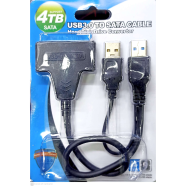
Computer HDD provides large storage capacity for files, software, videos, and backups. This component suits users who need extra space at a practical cost.
Hard drives are useful for storing large amounts of data such as movies, documents, games, and project files. Different capacities allow users to select according to storage requirements.
Before buying, check storage capacity, connection type, and computer support. HDD can also work with SSD to create a balanced storage setup.
Graphics Card improves visual performance for gaming, video editing, 3D work, and creative applications. This component suits gamers, designers, editors, and professionals.
A GPU handles image processing and helps display detailed graphics smoothly. Higher-performance graphics cards support advanced games and professional software.
Choose a graphics card based on your monitor resolution, software needs, and power supply support. Proper selection helps achieve better visual performance.
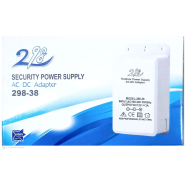
Computer Power Supply provides electricity to all internal components. This component suits users building gaming PCs, workstations, or regular desktop computers.
A reliable PSU supports stable power delivery to processors, graphics cards, storage devices, and other hardware. Power rating and efficiency are important when selecting a suitable model.
Before purchase, check the required wattage of your system. A suitable power supply helps protect components and supports stable computer operation.
Computer Case protects internal hardware and keeps components organised. This component suits users who build custom computers or upgrade existing setups.
Cases come in different sizes, designs, and airflow systems. Proper ventilation helps maintain comfortable temperatures during long usage sessions.
Choose a case based on motherboard size, graphics card space, cooling support, and desk arrangement. A suitable case improves organisation and maintenance.
CPU Cooler helps manage processor temperature during regular and heavy workloads. This component suits gamers, creators, and users who run demanding applications.
Cooling systems use fans, heat sinks, or liquid solutions to reduce heat. Better cooling supports stable performance during extended computer use. Check processor compatibility and available space before buying. A suitable cooler helps maintain better temperature control.
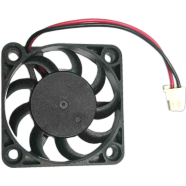
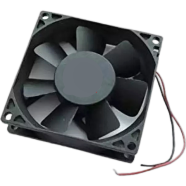
Computer Cooling Fan improves airflow inside the computer case. This component suits gamers, professionals, and users who want better thermal management.
Fans remove warm air and bring cooler air into the system. Proper airflow supports comfortable performance during long gaming or working sessions. Select fans based on size, noise level, airflow capacity, and case compatibility. Balanced cooling helps maintain a healthy computer environment.
From a practical buyer’s view, Computer Components require careful comparison of performance, compatibility, and budget. Checking different brands helps users find suitable hardware for their computer setup.
For memory and storage solutions, Adata and Orico provide different options for RAM and SSD products. Comparing specifications helps match performance with daily requirements.
Gaming users can check brands like Redragon and Fantech for accessories that support complete gaming setups. Users looking for reliable computer accessories can also compare Ugreen and Havit for different connectivity and computer solutions.
Computer Component prices in Bangladesh vary depending on type, performance, brand, and specifications. Basic components may start from around ৳500, while high-performance gaming and professional parts can reach above ৳50,000.
RAM, SSD, and accessories usually have different price levels based on capacity and features. Market price may change due to stock availability, new models, and offers.
Match the component with your computer purpose, performance needs, compatibility, and budget.
Before buying any component, check compatibility with your existing computer parts. Processor, motherboard, RAM, and storage must support each other. Proper matching prevents installation problems and improves system stability.
Select components based on your daily tasks and workload. Gaming, editing, and professional software need higher performance than regular browsing or office work. Understanding your usage helps choose suitable specifications.
Storage choice depends on your file size, software, and usage habits. SSD provides faster speed, while HDD offers larger storage space. Choose capacity according to your current and future needs.
Brand reputation affects product reliability and long-term performance. Check specifications, warranty support, and user feedback before purchase. Trusted brands usually provide better product consistency.
Consider future upgrades before selecting computer components. Extra RAM slots, storage support, and expansion options provide more flexibility. A smart choice helps improve your computer later without replacing everything.
Set a budget before comparing different components. Focus on important features instead of unnecessary upgrades. A balanced setup provides better value for regular and professional use.
We have divided the price range into three parts based on performance and budget:
| Price Range | Components |
| ৳500–৳5,000 | Basic RAM, HDD, cooling fan, simple accessories |
| ৳5,001–৳20,000 | SSD, advanced RAM, better cooling solutions |
| ৳20,001–৳50,000+ | High-performance CPU, GPU, premium components |
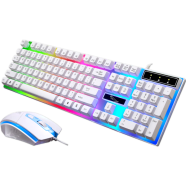
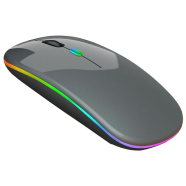
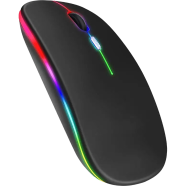
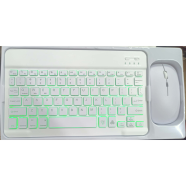
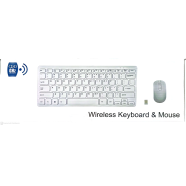
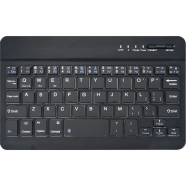
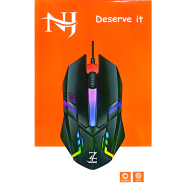
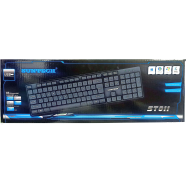
A complete computer setup needs suitable accessories with internal hardware. Users can explore Jedel Computer Accessories for keyboards, mice, webcams, and gaming products. For gaming setups, users can compare fantech gaming mouse, havit gaming mouse, and gaming keyboards for better control.
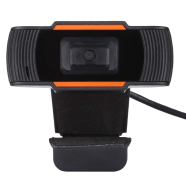
Users working online can check webcams like Ugreen WebCam and other communication accessories. Additional products help create a complete workspace or gaming environment.
Computer Components are hardware parts used to build and improve a computer system. They include processors, RAM, storage, graphics cards, and other internal parts.
RAM and SSD can improve system speed significantly. A suitable processor also helps with overall performance.
Choose RAM based on motherboard support, capacity needs, and computer usage. Gaming and professional tasks usually require higher capacity.
SSD provides faster speed and quicker loading, while HDD offers larger storage at a lower cost. Many users combine both for balanced performance.
Yes, you can upgrade several components like RAM, SSD, graphics cards, and cooling systems. Check compatibility before upgrading.

Customer Care:
Hotline: 16297 (9 AM to 8 PM, Saturday to Thursday)
[email protected]

Become a seller:
[email protected]

Corporate Sales:
01708166238 (Whatsapp)
[email protected]

Retailer:
01708166185 (Whatsapp)
[email protected]

Address:
2/1/E, Eden Center, Arambag, Motijheel, Dhaka-1000

Email Us:
[email protected]


© 2012-2026 Rokomari.com