Hotline: 16297 (9.00 AM to 11.00 PM)
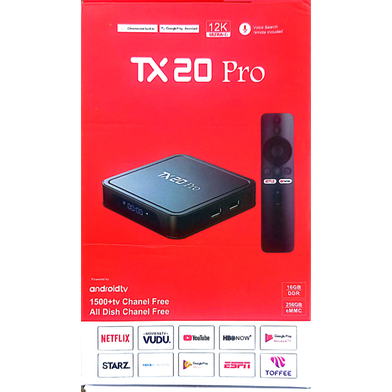
| Name | Smart Android TV Box TX20 Pro 12K Ultra HD |
| Category | External TV Card |
| Warranty Period | No Warranty |
| Connectivity Type | Wired and Wireless |
| Connector | HDMI |
| OS | Android 15 |
| Resolution | 12K UHD |
| GPU | Mali-G31 |
| Wi-Fi | 2.4G/5G |
| Bluetooth | v5.0 |
| Ethernet | RJ45 |
| Power | 5V 2A |
| Company | Non-Brand |
| Weight | 0.35 Kg |
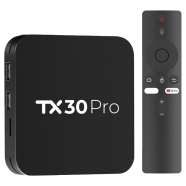
The TX20 Pro 12K Ultra HD Android TV Box transforms standard displays into smart media hubs using a Quad-Core A53 processor. It runs Android 15 to handle modern streaming applications and local IPTV services. This model improves on the TX10 Pro by updating the operating system from version 13 and increasing maximum resolution support from 8K to 12K.
The Android 15 operating system provides full compatibility with the Toffee app. You can install it directly from the Google Play Store for local streaming.
Launch the pre-installed live TV or IPTV application while connected to the internet. The software automatically populates the list of 1500 available channels.
Report incorrect information
1


2 Ratings and 0 Reviews

Customer Care:
Hotline: 16297 (9 AM to 8 PM, Saturday to Thursday)
[email protected]

Become a seller:
[email protected]

Corporate Sales:
01708166238 (Whatsapp)
[email protected]

Retailer:
01708166185 (Whatsapp)
[email protected]

Address:
2/1/E, Eden Center, Arambag, Motijheel, Dhaka-1000

Email Us:
[email protected]


© 2012-2026 Rokomari.com