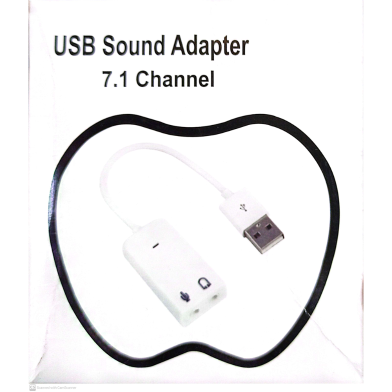


The Generic Virtual 7.1 3D External USB Sound Card restores audio functionality via a standard USB 2.0 Type-A port. This adapter utilizes a C-Media CM108 chipset to simulate expanded 7.1 surround sound across stereo hardware. Independent 3.5mm inputs accommodate separate microphone and headphone connections for desktop or laptop setups.
Key Features
- Plug and Play: USB 2.0 interface operates without manual driver installation. Hardware initializes instantly across Win, Mac, or Linux.
- Virtual 7.1 Audio: Xear 3D technology expands stereo signals into simulated multi-channel sound. Increases positional accuracy in gaming environments.
- Bus-Powered Operation: Hardware draws power directly from the 5V USB port. Eliminates the need for external power adapters.
- Compact 14g Housing: Dimensions measure 57x25x14 mm for high portability. Resists signal degradation caused by heavy road dust.
- Dual 3.5mm Jacks: Dedicated ports separate microphone input from stereo audio output. Connects standard headsets to PCs with damaged jacks.
Frequently Asked Questions
Does USB sound card improve audio quality?
It bypasses motherboard interference to provide a cleaner signal path. This reduces static noise common in integrated laptop audio ports.
How to use USB 7.1 sound card on laptop?
Connect the device to a USB port and select it as the default output in sound settings. No additional software or drivers are required for operation.