Hotline: 16297 (9.00 AM to 11.00 PM)


 8 user want this item!

* স্টক আউট হওয়ার আগেই অর্ডার করুন
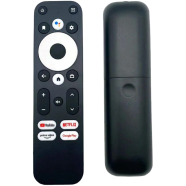
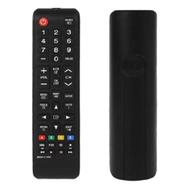
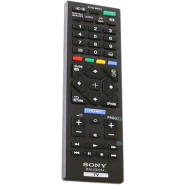
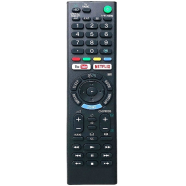
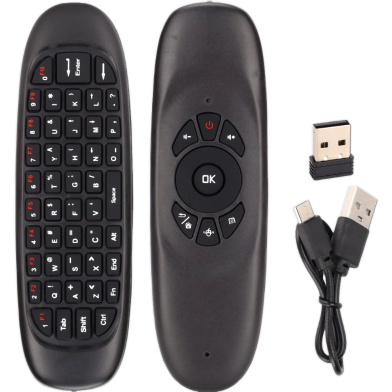
| Name | Air Mouse 2.4GHz Keyboard With USB Receiver And Cable Universal TV Remote |
| Category | TV Remote Controller |
| Country of Origin | China |
| Working Distance | 10m |
| Charging port | Micro USB |
| Operating Current | 20mA |
| Key Count | 57 keys |
| Weight | 62g |
| Company | Non-Brand |
| Weight | 0.07 Kg |
With a 57-key QWERTY layout and 6-axis gyroscope, the C120 2.4GHz Wireless Air Mouse Keyboard handles navigation and text entry. A USB receiver links the hardware to Smart TVs or Android boxes. Plug-and-play logic bypasses driver setup for immediate system control.
Windows, macOS, and Linux systems recognize the hardware via the USB receiver. It operates as a standard HID device without manual driver installation.
Insert the 2.4GHz receiver into an available USB port. The device pairs instantly to control the TV operating system.
Report incorrect information
2
1 Ratings and 0 Reviews

Customer Care:
Hotline: 16297 (9 AM to 8 PM, Saturday to Thursday)
[email protected]

Become a seller:
[email protected]

Corporate Sales:
01708166238 (Whatsapp)
[email protected]

Retailer:
01708166185 (Whatsapp)
[email protected]

Address:
2/1/E, Eden Center, Arambag, Motijheel, Dhaka-1000

Email Us:
[email protected]


© 2012-2026 Rokomari.com