Hotline: 16297 (9.00 AM to 11.00 PM)


 1 user want this item!
* স্টক আউট হওয়ার আগেই অর্ডার করুন
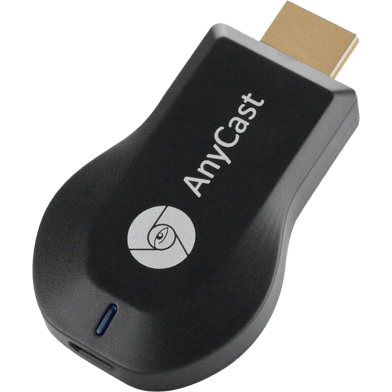
| Name | AnyCast Wireless Display Full HD Miracast Adapter Dongle |
| Category | TV Receiver |
| Warranty Period | No Warranty |
| Country of Origin | China |
| Warranty Type | No Warranty |
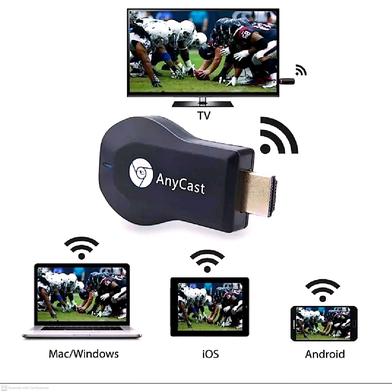
| OS Support | Android/iOS/Win/Mac |
| Interface | HDMI/Micro-USB |
| Protocols | Miracast/Airplay/DLNA |
| Power Input | 5V 1A |
| Range | 10m |
| Company | AnyCast |
| Weight | 0.07 Kg |
The AnyCast M2 Plus Wireless Display Dongle mirrors mobile or laptop screens to an HDMI display. It supports 1080p resolution through Miracast, Airplay, and DLNA protocols. A 1.2GHz processor handles the data stream to reduce lag during playback.
No, this device does not support DRM-protected apps like Netflix or Hotstar. Encrypted content triggers a black screen due to copyright protection protocols.
Connect your phone directly to the dongle's SSID via the Miracast protocol. This peer-to-peer connection works without an external router or internet source.
Report incorrect information
4
1 Ratings and 1 Reviews

Customer Care:
Hotline: 16297 (9 AM to 8 PM, Saturday to Thursday)
[email protected]

Become a seller:
[email protected]

Corporate Sales:
01708166238 (Whatsapp)
[email protected]

Retailer:
01708166185 (Whatsapp)
[email protected]

Address:
2/1/E, Eden Center, Arambag, Motijheel, Dhaka-1000

Email Us:
[email protected]


© 2012-2026 Rokomari.com


By MD Toufique Talukdar, Jul 1, 2026

Verified Purchase
Was this review helpful to you?