Hotline: 16297 (9 AM to 8 PM)


 Hello, Sign in
 Cart
Cart 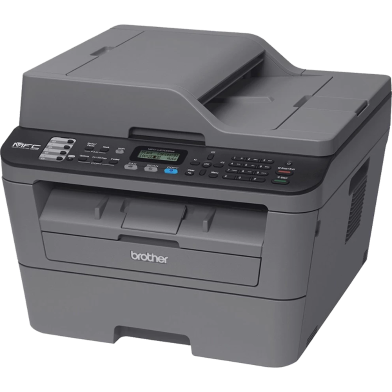


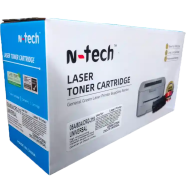
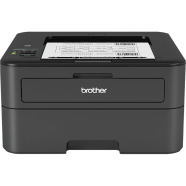
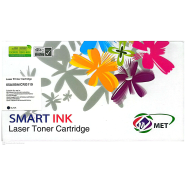
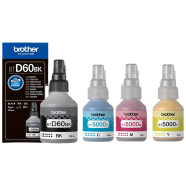
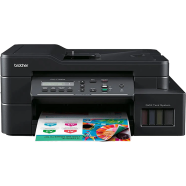
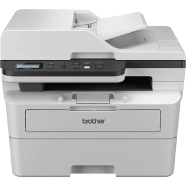
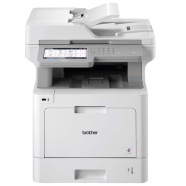
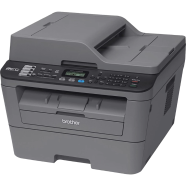
The Brother MFC-L2700DW combines printing, scanning, copying, and faxing into a monochrome laser chassis. At 30ppm, the engine handles high-volume document queues quickly. Integrated wireless and Ethernet modules let everyone in the office print from their own desks.
Key Features
- Automatic Duplex Printing: 2-sided output via an internal mechanical flipping assembly. Cuts paper waste during runs.
- 35-Sheet ADF: Top-mounted automatic document feeder for scanning multi-page stacks. Handles documents without manual swapping.
- Wireless Networking: 802.11b/g/n and Wi-Fi Direct protocol wireless network support. Prints from devices using AirPrint.
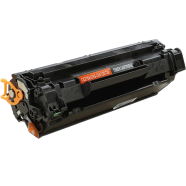
- High-Yield Toner: TN-2355 cartridge support for a 2,600-page print output. Lowers frequency of cartridge replacements.
- 250-Sheet Paper Tray: Fully enclosed bottom-loading paper cassette with 250-sheet capacity. Blocks road dust from paper.
Frequently Asked Questions
Does Brother MFC-L2700DW scan in color?
The internal scanner hardware captures documents in full color. It exports these files as digital images or PDFs to your PC.
How to connect Brother MFC-L2700DW to WiFi?
Press the WPS button on the router and the printer simultaneously. Alternatively, enter the wireless key via the 2-line LCD screen.
Is Brother MFC-L2700DW compatible with Windows 11?
The manufacturer provides updated drivers specifically for Windows 11. It also maintains compatibility with macOS and various Linux distributions.